
Wheelie Bike
Master physics based cycling in Wheelie Bike. Balance the bike on one wheel with keyboard or touch controls and chase records in a free browser stunt game.
Overview of Wheelie Bike
Play free, feel fast, and balance like a pro in Wheelie Bike. This sleek bike wheelie game turns a simple pop of the front tire into a pulse‑quickening one wheel challenge. Keep that nose up, cruise over bumps, and stretch the distance meter as far as you can. Because it runs in the browser, it fits perfectly alongside other free bike games online. It is easy to learn, yet deeper than it looks. Ready to roll and learn the art of the endless wheelie.
Getting Started
New to precision balancing in the browser. You are in the right place. Before your first run, get comfy with the camera feel, the minimal UI, and the rhythm of the rider. The goal is simple, but the finesse is not. Think of it as online bike balance training with style. Wheelie Bike rewards gentle inputs, steady pacing, and quick saves when things lean too far. Give yourself a few warm‑up attempts.
Setup & Launch
Launching is quick. Load the game page, wait for assets to finish, then tap or click to focus the canvas. Turn on sound if you like audio cues, close background tabs for smoother frames, and consider enabling fullscreen for fewer distractions. If you are on mobile, rotate to landscape for better control reach. Wheelie Bike runs without installs, so no storage stress or patching. If the keyboard does not respond, click the game once to recapture input focus.
- Open the game page and let it fully load.
- Click or tap the game area to enable input.
- Check sound and music levels, if available.
- Use fullscreen for a bigger, cleaner view.
- On mobile, use landscape for more precise swipes.
Core Rules & Systems
Hold to lift, release to settle, survive the bumps. That is the core loop. Your score climbs as long as the front wheel stays off the ground. Touch the tire down and the run ends. Slopes, gaps, and subtle speed changes will test you, especially during the endless wheelie challenge. Smooth acceleration keeps the balance point stable; sudden jerks throw it away. Small terrain ripples are huge at speed, so scan ahead and react early. Wheelie Bike rewards patience under pressure.
Control Guide
You can balance the bike with light, rhythmic inputs. Tiny presses raise or lower the bar; steady holds control speed and tilt. Keyboard bike controls are precise and consistent, great for desktop sessions. Touch bike controls give you fast, analog‑style swipes on phones and tablets. Keep your eyes mid‑screen, not on the front axle. That helps you predict slopes and corrects faster. Keep movements minimal, then add more only if the tilt keeps drifting. In Wheelie Bike, less is often more.
Keyboard Keys
- Up Arrow or W to pedal or accelerate into a wheelie.
- Down Arrow or S to ease the front wheel toward the ground.
- Left and Right Arrows to fine‑tune tilt and catch near‑falls.
- Space to start runs or perform quick stabilizing taps.
- R to restart quickly after a slip.
- P to pause and breathe before the next push.
Control schemes can vary by build, so check the in‑game overlay for the latest mapping. Start gentle and calibrate your sense of tilt before going for records. When a patch tweaks physics, spend a minute relearning the balance point. That quick reset pays off in Wheelie Bike runs.
Difficulty Options
There is no traditional difficulty slider here, yet the challenge is elastic. Your pace, the terrain seed, and your input style create a personal curve. Want easy practice. Cruise slower, keep raises short, and end runs early before rough segments. Want a sharper test. Push speed, hold higher angles, and save near crashes on bumpy tracks. Some builds include vibration or visual aids; use them to learn, then disable for pure skill. The highest scores in Wheelie Bike come from steady nerves and repeatable micro‑moves.
Game Modes
- Endless Mode for raw distance and survival focus.
- Time Trial for best segment times and efficient pacing.
- Challenge Seeds with repeatable patterns for head‑to‑head comparisons.
- Practice Sessions to drill starts, saves, and low‑speed balance.
Endless sessions are great for flow, while Time Trial highlights precision. If you enjoy a lean bicycle stunt browser game, you will love how each mode spotlights a different skill. Learn in practice, lock a line in Time Trial, then unleash it in Wheelie Bike when the terrain cooperates.
Master the One‑Wheel Balance Challenge
The trick is finding the balance point, then dancing around it without panic. Keep elbows metaphorically loose and inputs gentle. Tap to nudge, not to shove. Anticipate dips by pre‑loading a tiny lift, and let crests settle you back. Breathing helps reduce overcorrection. Try counting small beats to pace taps. For online bike balance mastery, make the bike follow your rhythm, not the other way around. The longer you hover near the sweet spot in Wheelie Bike, the easier everything feels.
Step‑by‑Step Guide to Your First Long Wheelie
- Start slow and raise the front just a little above level.
- Learn how much input it takes to hold, then release before it swings.
- Lock your eyes mid‑screen to see terrain curves early.
- Feather tiny corrections, alternating raise and settle taps.
- Glide over the first bump by easing lift on the approach.
- Commit to a calm recovery if tilt goes too high.
- End the run intentionally to reset and analyze what worked.
Now string those steps together for 5, 10, then 20 seconds of clean riding. The transition from shaky to smooth is fast once muscle memory clicks. In a focused session, your first proud save will arrive, and that momentum carries into Wheelie Bike during tougher one wheel challenge attempts.
Pro Tips for Smoother Landings and Saves
Crashes start small, so save early. If the front rises too high, stop adding power, let momentum settle, then gently guide the nose down. When the bar drops too fast, tap lift and lean back just a touch. Use bumps as allies; crests are natural reset points if you do not fight them. Maintain a consistent cadence of corrections so the bike never feels sudden. Keep cool under pressure in Wheelie Bike and you will turn near‑falls into highlight reels.
- Preset a recovery tap sequence for high lifts.
- Keep inputs symmetrical to avoid drift spirals.
- Shift focus forward during chaos to plan the next move.
- If a run is doomed, bail fast and restart with composure.
Micro‑Adjustments: Feathering Speed and Tilt
Think of control like a dimmer, not an on off switch. Feather taps to influence speed and tilt without yanking the frame around. Short pulses keep the angle steady, while slight releases invite a calm settle. Practice at lower speeds where errors cost less. Over time, your fingers will learn the exact pressure to hold the line. This is the soul of physics based cycling finesse, and it is where Wheelie Bike truly shines for dedicated riders.
Physics Explained: Momentum, Center of Mass, and Drag
Momentum resists abrupt changes, which is why slow corrections feel strong. Your center of mass shifts as the bike tilts, so small angle changes have big balance effects. Drag and rolling resistance subtly reduce speed, lowering the balance point over time. Plan for that drift and add gentle power before you need it. Bumps add vertical energy; use crests to reset angle and troughs to build speed. Understanding these physics based cycling basics helps you ride smarter in Wheelie Bike.
Mistakes Beginners Make (and How to Avoid Them)
The most common errors are heavy hands and tunnel vision. Big presses kick the bike past control, and staring at the wheel hides the next bump. Others forget to breathe or freeze mid‑tilt. Some never map comfortable keyboard bike controls or refuse to adjust sensitivity on mobile. Diagnose one habit per session, fix it, then move on. A clear plan cuts the learning curve in Wheelie Bike and keeps frustration low during tougher stretches.
- Overcorrecting instead of feathering adjustments.
- Watching the axle instead of the horizon.
- Holding max input instead of pulsing.
- Ignoring terrain rhythm and slope timing.
- Skipping practice with touch bike controls before chasing scores.
Time Trial Strategies for Beating Your High Score
Time Trial rewards composure and clean lines. Start with a pace you can hold, then add speed later. Memorize tricky terrain segments by seed and pre‑plan corrections. Avoid flashy high lifts; they are slower and riskier. Reset fast after a mistake to protect flow across attempts. Use a short warm‑up before serious runs to lock your timing. Track personal splits and focus on improving one section per session in Wheelie Bike to climb the board steadily.
Custom Keybinds and Sensitivity Tweaks
If remapping is available, put primary raise and settle on the most comfortable fingers. Keep emergency save on a large, easy key. Lower sensitivity if you tend to overcorrect, or increase it for quicker tap responses. On phones, tune touch bike controls by adjusting swipe length and pressure style. Consistency beats raw speed. Once your layout feels like second nature, your inputs become invisible, and that comfort translates to higher scores in Wheelie Bike during long distance grinds.
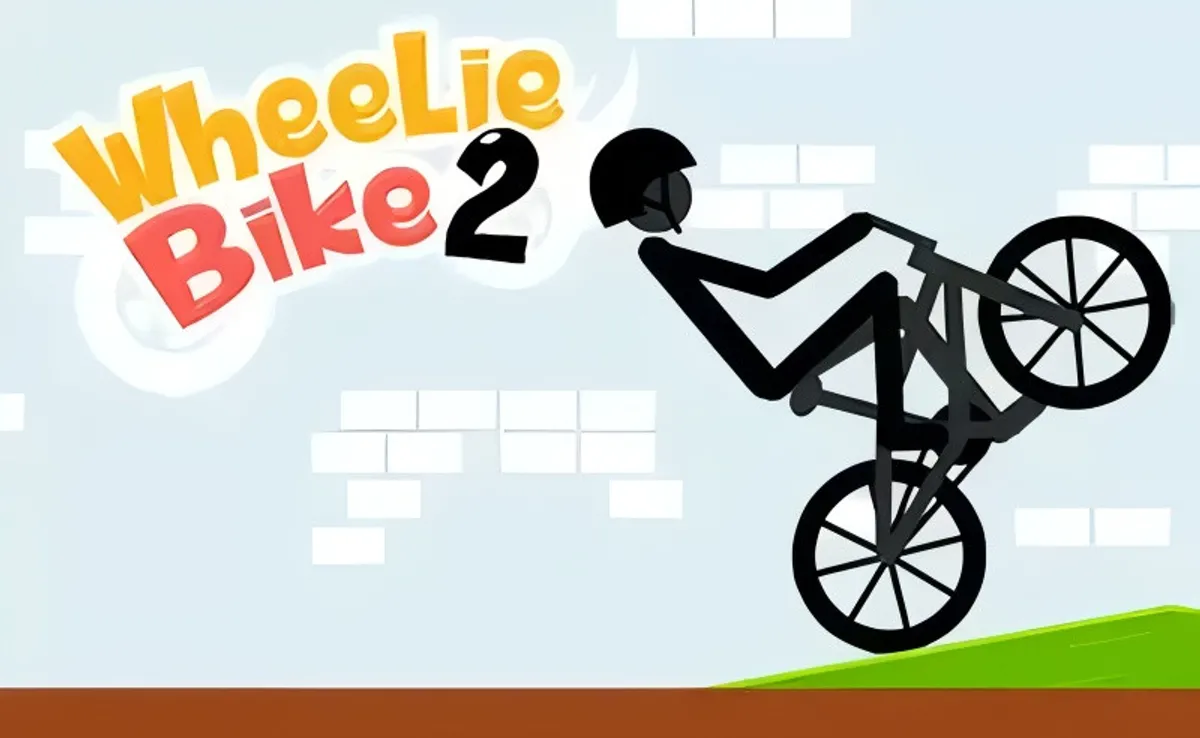
Solo vs. Multiplayer
If you love tight, personal challenges, Wheelie Bike shines as a solo test of skill. There is no live, head-to-head mode, and that is by design. You get instant retries, personal best tracking, and a clean focus loop. Competition still exists, though. You chase ghosts of other players through distance records and time-based challenges shown on global boards. In that way, Wheelie Bike feels like the best of browser racing games, where you compete asynchronously without waiting in lobbies or dealing with laggy matches.
That solo emphasis does not mean it is isolating. Play a run, share a score, and compare strategies. Treat it as a leaderboard bike game and you will discover rivalries across the world. You will also avoid the distractions that can derail concentration. The result is a smooth flow where each attempt makes you better and every micro-adjustment matters in Wheelie Bike.
Wheelie Bike Features
Under the simple surface sits a surprisingly rich feature set. Snappy restarts. Stable timing. Smooth 2d bike physics that feel predictable yet demanding. Input responsiveness is tuned for short sessions that stack into mastery, which suits the arcade cycling vibe. The course streaming keeps the challenge varied without confusing layouts. Touch and keyboard both feel crisp, so you can swap devices without relearning muscle memory and still enjoy Wheelie Bike.
There is no clutter on screen. Just you, a balancing point, and distance to conquer. That minimalism supports quick practice loops and makes Wheelie Bike a perfect no download bike game for busy breaks. If you crave pure mechanical depth, you get it. If you want ease of access, you have it. Add fullscreen support and light performance options, and this fullscreen bike game adapts to your setup.
Wheelie Bike Characters & Abilities
There is one rider to master, and the abilities are in your hands, not in a stat sheet. Think of your skill as the upgrade path. Your balance window widens as you learn. Your recovery timing gets cleaner. Your speed control stays safer near obstacles. The character is simple, which keeps your attention on the road, where Wheelie Bike rewards consistency and confidence.
If you are hunting for bike stunt tips, focus on repeatable fundamentals. Keep your center of gravity stable by tapping rather than mashing. Treat the ground as a metronome and build a rhythm. The longer you hold that rhythm, the more likely you are to land huge streaks in Wheelie Bike.
Items & Boosts
There are no consumable power-ups, and that is part of the charm. Every boost comes from technique. Micro taps act like shock absorbers. Gentle releases bleed speed safely. Terrain dips can slingshot your front wheel if you time the lift. These soft boosts compound, turning small optimizations into big gains over a run in Wheelie Bike.
If you want a quick checklist, try this sequence: set a neutral lean, hold the front wheel just off the ground, pulse inputs on bumps, and commit to speed only when sightlines are clear. That pattern turns risky runs into steady progress, and it keeps the thrill high without losing control in Wheelie Bike.
Levels & Progression
Progression here is measured by distance, streaks, and personal bests. Each clean segment builds momentum for the next. There are no story stages to clear. Instead, your calendar becomes the campaign. Daily attempts create a rising baseline in Wheelie Bike. Over time, the course that once felt chaotic becomes readable. You pick safer lines by instinct, and your long runs appear more often.
Set micro goals to stay motivated. Aim for five consistent medium runs before pushing for a record. Track your longest clean streak each session. Note where you often fail and practice that pattern. This small, steady approach keeps tilt at bay and turns practice into progress in Wheelie Bike.
Leaderboards & Records
The boards are where your best moments get tested. Uploading a top distance sets a flag for others to chase. You will learn a lot by watching how scores cluster. Spikes often mean there is a tricky pattern that breaks many runs. Smooth curves mean the field shares similar mastery in Wheelie Bike. Use that info to decide whether to push speed or lock in stability for a safer PB.
Treat the leaderboards like a sport. Share strategy without spoiling discoveries for those who want to learn by feel. Congratulate clean runs, even from rivals. And when you post a monster score in Wheelie Bike, add context about your approach. It lifts the whole scene and keeps competition positive.
Wheelie Bike Video & Display Options
Visual clarity helps you read terrain and react faster. Keep the game window large enough to spot subtle bumps and shadows. If your display allows, set a refresh rate that feels smooth. Avoid heavy overlays in your browser. Disable unneeded extensions while you play Wheelie Bike, since they can add micro stutter. A clean canvas keeps input delay low and reactions sharp.
Wheelie Bike Fullscreen Mode
(press Fullscreen button under the game window)
Fullscreen reduces background clutter and anchors your focus in Wheelie Bike. It also prevents accidental clicks outside the canvas. If you are chasing a record, play your highlight attempts in fullscreen. Pair it with do not disturb on your device and you will feel a noticeable reduction in distractions during Wheelie Bike.
Accessibility Options for Comfortable Play
Comfort boosts performance. Adjust screen brightness so terrain edges are clear but not glaring. Sit at a distance that lets you track the rider without darting eyes. If your device supports it, enable reduced motion features to cut visual fatigue. Short sessions also help. Five to ten focused minutes can produce better results than a long, tired grind in Wheelie Bike.
Stability vs. Speed: Where to Draw the Line
This is the eternal trade-off. Speed feels amazing, but stability makes PBs stick. The rule of thumb is simple. If your read on terrain is shaky, slow down for a few seconds. Rebuild rhythm. Then nudge speed up again. Use safe sections to gain time and risky sections to bank consistency in Wheelie Bike. That pacing balance turns more attempts into clean finishes.
Daily Goals, Streaks, and Motivation Hacks
Want a plan that builds skill fast? Set daily micro goals. Three solid warmups, one focused record push, one cooldown run. Track streaks, not just best distances. Consistency streaks reduce pressure and improve nerves in Wheelie Bike. Pair that with short review notes. What pattern tripped you up today? Write it down and target it tomorrow. Tiny habits compound into mastery.
Understanding Score Multipliers and Combos
Scoring systems vary by build, but one principle applies everywhere. Clean, uninterrupted balance acts like a combo. The longer you hold a stable line, the faster your distance climbs. Avoid sloppy corrections that force emergency inputs. Smooth arcs bank more progress. Ask anyone who studies how to do a wheelie for longer distances, and they will tell you the same secret. Rhythm beats panic in Wheelie Bike.
Competing on Leaderboards: Etiquette and Tactics
Good etiquette is simple. No exploits. No spam. Share constructive feedback. Tactically, attack when you feel light and focused, not after a string of frustrating fails. Practice specific terrain cues offline by visualizing the approach. Then lock in a few confident record attempts. Patience beats brute force in Wheelie Bike. You will conserve energy and land cleaner results.
Fullscreen Focus Mode: Why It Helps
When you drop into fullscreen, everything else fades. Your eyes track fewer objects, which lowers cognitive load and reduces misreads in Wheelie Bike. It also pairs well with sound off, if audio distracts you. If you prefer audio cues, keep effects on and music off. Small tweaks like these can produce huge gains during intense runs.
Keyboard vs. Touch Controls: Which Is Better?
Both are viable. Keyboard offers crisp, binary taps that help with precise balance checks. Touch gives analog-like nuance, great for feathering. If you play on a mobile bike game setup, touch can feel natural. If you want hard, consistent pulses, keyboard might edge it. Test both for a few sessions. Pick the one that produces the calmest rhythm in Wheelie Bike, then stick with it.
Browser Performance: Reduce Lag and Input Delay
A few quick fixes can tighten response. Close extra tabs, video streams, and heavy extensions. Update your browser. Use hardware acceleration if your GPU is stable. If your device is older, try a lighter browser profile while you play Wheelie Bike. On laptops, plug in power to keep CPU clocks steady. Stable frame pacing leads to cleaner timing and safer runs.
One more tip. If your connection blocks gaming sites, look for official mirrors or platforms that host unblocked bike games. Choose trusted sources and avoid shady links. You want clean access, fast loads, and secure play when you spin up Wheelie Bike.
Finally, remember why this game hooks so many people. It is fast to learn, hard to master, and endlessly replayable. It sits neatly alongside classic arcade cycling titles yet focuses on one elegant skill. That makes Wheelie Bike perfect for quick breaks and deep mastery sessions alike.
Before you go for a record, gather your tools. A few bike stunt tips. A strong rhythm. A tidy browser. Fullscreen enabled. Then breathe, lift, and glide. The road is waiting in Wheelie Bike.
If you are sharing runs with friends, send them a link to your favorite platform. Many hosts keep it lightweight as a no download bike game that opens fast. Others emphasize global boards, which helps if you love a tight leaderboard bike game race. Either way, you get the same core loop that makes Wheelie Bike special.
And if you are on the move, do not worry. It plays well on touch, so you can keep polishing your balance while commuting or waiting in line. Treat it like a portable rhythm drill wrapped in a playful shell. A few minutes a day can transform your feel for balance in Wheelie Bike.
Performance & Troubleshooting
If Wheelie Bike stutters, drops frames, or your inputs feel delayed, don’t worry—there are quick fixes. Start by closing extra tabs and background apps. Browser games share resources, so every streaming tab or heavy extension can add lag to this physics based cycling experience. Next, toggle hardware acceleration in your browser’s settings, then relaunch. Some GPUs love it; others behave better with it off. If you’re on a laptop, plug in the charger to avoid power-saving throttles that can affect 2d bike physics timing.
Input lag or missed lifts when you try to balance the bike? On desktop, verify your keyboard bike controls aren’t being intercepted by another app. Switch to the game frame with a click before you start a run. On mobile, make sure your touch bike controls land inside the canvas—turn off system gestures that conflict with edge swipes, or rotate the screen for a wider grip area. If the screen feels cramped, try a fullscreen bike game view to reduce distractions and keep your focus locked on the one wheel challenge.
Audio crackles or choppy animations often stem from cached files. Clear your site cache for a fresh load, or try a different browser engine. Chromium-based options are reliable for a bicycle stunt browser game, but Firefox can be smoother for some devices. If you’re on school Wi‑Fi, media filters might throttle assets. A quick reload after a partial load can restore normal playback. And if you see a black screen, disable aggressive content blockers for the page, then refresh; the game canvas may be flagged by strict filters.
How to Recover from Near‑Crashes
You’re tipping too far back or forward and the back wheel screams “game over”? Here’s the save sequence seasoned players use in Wheelie Bike. When the front end shoots up too fast, feather your lean forward in tiny taps rather than one hard correction. Hard presses cause overcompensation and a swingy wobble. When the nose dives, don’t panic—ease the lean back just enough to lift the front, then let it settle. Think of it as a pendulum with gentle nudges. Combine micro-taps with steady throttle to keep the center of mass hovering over the contact patch.
If you start fishtailing, lock your eyes on a distant point and re-center with rhythm: tap forward, tiny pause, tap back, tiny pause. That cadence re-stabilizes the arc without adding chaos. Practicing this micro-correction loop steadily improves your online bike balance and turns scary moments into highlight saves. Over time, you’ll feel the 2d bike physics and anticipate how much pressure is needed before the bike tips too far.
Where can I play Wheelie Bike unblocked?
If your classroom or workplace network filters games, look for reputable, education-friendly portals that list unblocked bike games. Seek sites with clear HTTPS, minimal pop-ups, and straightforward “no download bike game” access. Avoid suspicious mirror pages. When in doubt, ask your administrator to whitelist a safe domain that hosts free bike games online. This ensures you can enjoy the endless wheelie challenge without risking security or breaking rules.
Some districts maintain curated libraries of browser racing games for breaks or skill practice. If available, use those. For privacy, don’t sign in with personal accounts on shared devices and avoid entering real names into a leaderboard bike game—use a nickname. If a page doesn’t load due to content filters, a polite request for review is the right path. Don’t try to bypass controls with tools the policy disallows.
Wheelie Bike Mobile & Tablet Play
Playing on a phone or tablet is smooth when you prep the device. Turn off battery saver to prevent CPU dips, and enable Do Not Disturb to avoid notification hiccups mid-run. Calibrate your touch bike controls by testing a few runs to learn exactly how much pressure produces a small lean change. On small screens, landscape mode often helps you balance the bike with wider thumb spacing. If your device supports high refresh rates, enable them for silkier motion. This mobile bike game setup keeps your inputs crisp so you can maintain online bike balance even during bumpy sequences.
Tip: Wipe the screen and your fingertips before a session. Oil and dust add micro-slips that translate into inconsistent leans. A clean screen means cleaner control, which matters when every microdegree of tilt can decide the run.
Play Wheelie Bike Offline
The game is designed for the web, so it usually needs a connection. Some sites support progressive web app caching, but offline play isn’t guaranteed. If your platform offers an install-to-home-screen option, try it—just remember that updates, leaderboards, and cloud saves require connectivity. When offline, focus on mindset and muscle memory drills to keep your timing sharp so you’re ready the moment you reconnect to Wheelie Bike.
Offline Practice Drills Without the Game
Want to improve your balance sense without a connection? Try these quick drills to internalize the feel of a bike wheelie game.
- Finger Pendulum: Hold your phone like a balance bar and practice micro-tilts. Aim to stop precisely on center after each tilt. This trains steady corrections for a one wheel challenge.
- Breathing Rhythm: Inhale on lift, exhale on settle. Syncing breath to movement reduces overcorrection and steadies your timing in arcade cycling scenarios.
- Metronome Taps: Set a metronome to 90–110 BPM. Tap forward on odd beats, back on evens. This develops symmetrical input—gold for physics based cycling.
- Micro-Squat Holds: With feet shoulder-width apart, hold a slight squat and make tiny weight shifts forward/back. This body awareness maps well to 2d bike physics control.
When you get back online, blend these habits with in-game runs. You’ll notice smoother saves, cleaner lines, and longer strings in the endless wheelie challenge.
Is Wheelie Bike Safe to Play Online?
Yes—played on reputable sites, Wheelie Bike is a safe, skill-focused title. It doesn’t require personal data, and it runs in the browser, so you can keep your information private. Be mindful of third-party ads on some portals. If you’re a parent or teacher, pick platforms with strong moderation and clear privacy policies. Encourage nicknames instead of real names when a leaderboard bike game entry is available, and remind kids to avoid sharing personal details in user profiles if a site offers them.
Family‑Friendly Settings and Safe Play Tips
- Choose trusted hosts: Favor clean, well-known portals that label content as family-friendly and offer no download bike game access.
- Mute or limit sounds during homework time: A quiet setup keeps focus intact.
- Set time windows: Short, focused sessions prevent fatigue and help maintain top form for Wheelie Bike.
- Use nicknames on leaderboards: Keep identities private while climbing ranks.
- Coach good digital habits: No sharing personal info, and report suspicious ads or pop-ups to an adult.
These simple steps make playtime fun and safe while still letting players master how to do a wheelie with calm, consistent practice.
Similar Games to Wheelie Bike
If you love the precise balance and clean physics, there’s a whole world of browser racing games that scratch the same itch. Look for titles that emphasize control, timing, and stunt flow rather than pure speed. Many are styled as a bicycle stunt browser game, while others lean into arcade cycling with score chains and trick multipliers. The key is a tight control loop and readable physics so your skill growth is front and center.
Try These Other Skill‑Based Cycling Games
- BMX-style Balance Trials: Minimalist courses with narrow platforms, demanding micro-corrections that feel close to Wheelie Bike’s balance-first design.
- Endless Street Wheelie Modes: Procedural roads and obstacles for an endless wheelie challenge—great for rhythm and stamina practice.
- Precision Ramp Hoppers: Short ramps and low-gravity arcs perfect for learning incremental inputs and applying bike stunt tips.
- Time-Attack Sprint Circuits: Lap-based browser challenges that reward consistent lines and flawless recoveries over raw speed.
- Community Ghost Races: Chase translucent best runs to learn lines. It’s like having a coach show you ideal micro-tap sequences.
When browsing free bike games online, filter for physics based cycling and controls that feel immediate. A responsive input loop is what turns a simple stunt toy into a mastery playground.
Conclusion
With a bit of setup and smart habits, Wheelie Bike runs silky-smooth and rewards every ounce of skill you pour into it. Keep the device lean, refresh when assets hiccup, and favor fullscreen when you want a distraction-free flow. Practice gentle, rhythmic corrections to recover from near misses, and drill balance sense offline so you return sharper than ever. Whether you play on a keyboard, on glass with touch inputs, or on a big screen, the goal’s the same: balance, breathe, and let the physics do the talking.
Want more? Explore unblocked hubs responsibly, choose reputable sites, and keep personal info private—especially around any leaderboard features. Then dive into more rides across the web: from tight technical trials to stylish trick loops, the right picks will keep you leveling up your balance game while staying safe and focused. When you’re ready, come back to Wheelie Bike and put those new skills to work—chasing cleaner lines, steadier saves, and your next personal best.
Final pro tip: rotate through short sessions. Your mind learns fastest in fresh bursts. That way, every time you launch Wheelie Bike, you’ll feel those micro-taps click sooner and your runs stretch longer. See you on one wheel.
Wheelie Bike Gameplay Video
Frequently Asked Questions
How do I play Wheelie Bike?
Wheelie Bike is a bike wheelie game. Test your online bike balance skills: hold to lift, release to steady, and balance the bike on one wheel. Use keyboard bike controls (e.g., Space/Up or mouse) to keep rolling. It’s a no download bike game and one of the free bike games online.
Can I play on mobile or tablet?
Yes. It’s a mobile bike game with touch bike controls—open it in your browser and ride the one wheel challenge on iOS or Android, no app required.
Any tips to master the wheelie?
Here are quick bike stunt tips: start slow, make tiny corrections, and look ahead. Learn the physics based cycling and 2D bike physics feel. If you’re wondering how to do a wheelie longer, feather inputs and stay calm through bumps—this is an endless wheelie challenge in arcade cycling.
Is Wheelie Bike unblocked at school or work?
Many portals host unblocked bike games. Access depends on your network rules; if it’s blocked, try from a home connection or ask your administrator for an approved site.
Does it support fullscreen or leaderboards?
Yes—switch to fullscreen bike game mode in the browser, and chase high scores in a global leaderboard bike game. Great for fans of browser racing games and a bicycle stunt browser game.